How to Change Address or Update CNIC on Your Driving Licence Online (2025 Guide)
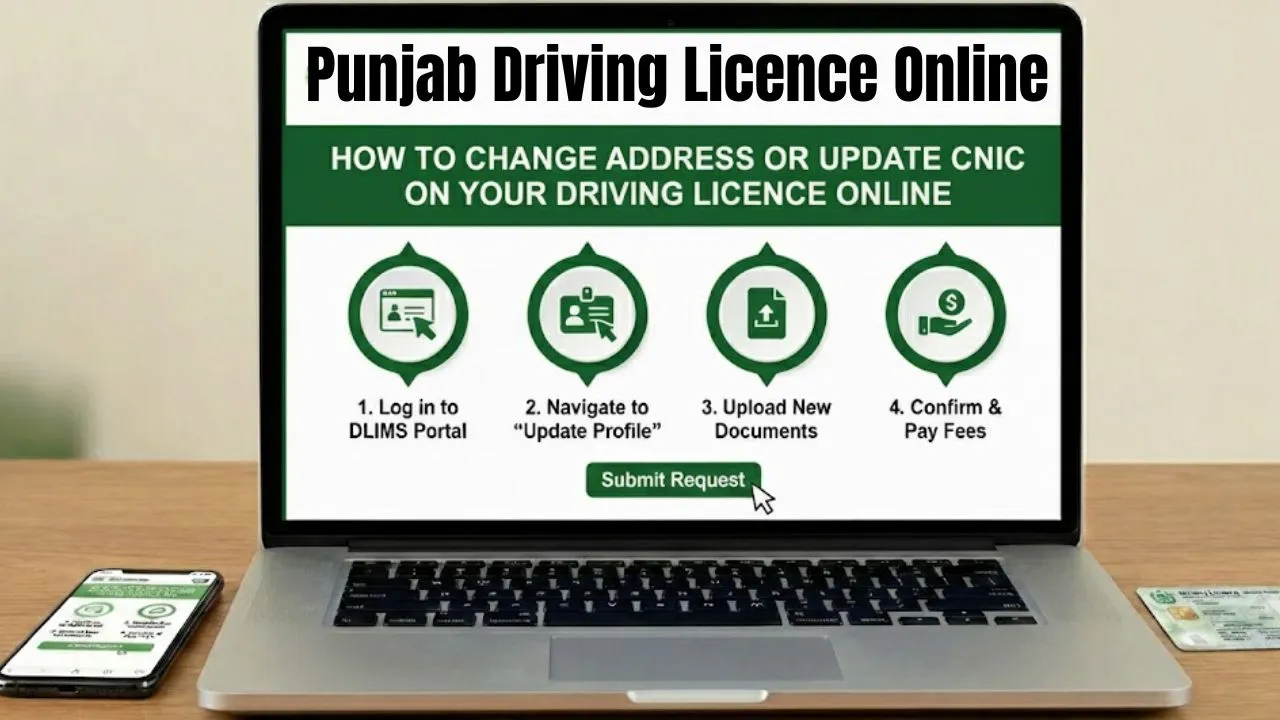
The process to change address or update CNIC on your driving licence online in Punjab has become simpler than ever in 2025, thanks to the upgraded DLIMS 2.0 and Dastak digital systems. You can now update your CNIC information, permanent address, or other personal details online without visiting a licensing center.
This guide explains each step clearly — from logging in to the DLIMS portal to uploading documents, paying your PSID, and receiving your updated licence card at home.
Why You Should Update CNIC or Address on Your Driving Licence
Keeping your driving licence updated is crucial because mismatched CNIC or address details can lead to:
- Rejection during licence verification checks.
- Invalid records in the traffic database.
- Issues when renewing or reprinting your licence card.
Under the DLIMS Punjab 2025 system, all driver information is directly synced with NADRA, meaning your licence must reflect your latest CNIC data and residential address.
Step-by-Step Online Guide to Update Driving Licence Details via DLIMS 2.0
Here’s a complete, easy-to-follow breakdown of how you can change your address or update CNIC details online in Punjab using the official DLIMS portal:
 Join Our WhatsApp Channel
Step 1: Visit the Official DLIMS Portal (DLIMS 2.0)
- Go to the official DLIMS website: https://dlims.punjab.gov.pk
- If you already have an account, log in using your CNIC and password.
- If not, create a new account by providing your CNIC, mobile number, and email.
Once logged in, you’ll see your dashboard with available licence services.
Step 2: Start the Service Request for Address or CNIC Update
- On the dashboard, click on “Services on Driving Licence.”
- Select the service type:
- “Correction of Data”
- “Change of Address”
- Or “Renewal / Duplicate Licence” (if address correction is linked with CNIC update).
The system automatically syncs your updated CNIC data from NADRA, including your new permanent address.
Step 3: Fill Application Form and Upload Required Documents
Next, the portal will display a digital form for your request.
- Enter your Driving Licence Number and Date of Birth to fetch your current record.
- Update your new address or verify the corrected CNIC information displayed.
- Upload clear scanned copies of the following:
- Updated CNIC (Front and Back) showing the new address.
- Existing Driving Licence (Front and Back).
- Latest Passport-size Photograph (white background).
Make sure all documents are legible and uploaded in the correct format (JPG or PDF).
Step 4: Generate PSID and Pay the Required Fee
After submitting the form, the system will generate a PSID (Public Service Identifier) for payment.
You can pay the processing fee using one of these methods:
- ATM (Any 1LINK-enabled bank)
- Online Banking / Internet Banking
- Mobile Banking Apps (ePay Punjab system)
The total fee usually includes a service charge and a courier delivery fee for the new physical licence card.
Step 5: Application Review and Licence Delivery
Once your payment is confirmed, the DLIMS team reviews your application.
- Verification: Your updated CNIC and address are cross-checked with NADRA records.
- Approval: Upon approval, a new licence card is printed with your latest details.
- Delivery: The updated driving licence is dispatched via courier to your new permanent address within a few working days.
You can track your application status anytime using your DLIMS account or the Dastak mobile app.
What to Do If You Face an Error on the Portal
Sometimes, users may not find the exact “Change of Address” option or may face issues with CNIC synchronization. In such cases, contact the official DLIMS Helpdesk immediately:
| Support Type | Details |
| Helpline Number | 042-99202892 |
| Emergency Contact | 15 |
| info@dlims.punjab.gov.pk | |
| Website | https://dlims.punjab.gov.pk |
It’s recommended to email a screenshot of your error message or issue description for faster assistance.
Common Reasons for Rejection of CNIC or Address Update
If your application is rejected, it’s usually due to one of these issues:
- Blurred or incomplete CNIC/License uploads.
- CNIC not updated in the NADRA database.
- Invalid or expired licence record.
- Mismatch between the CNIC and licence number.
Before submitting your application, make sure all details are accurate and up to date in NADRA.
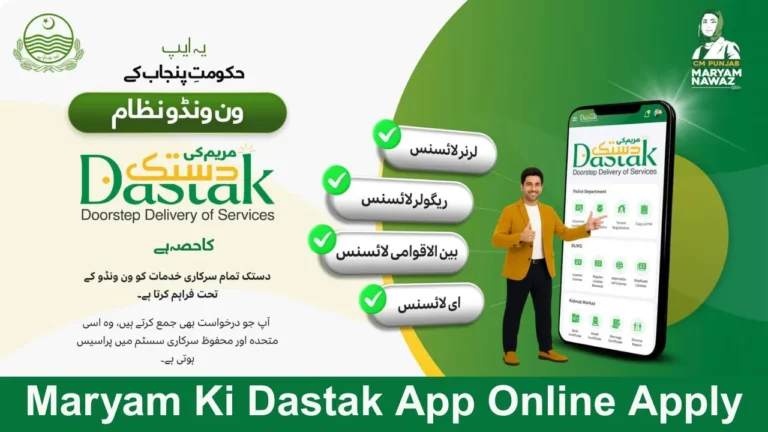
DLIMS 2.0 and Dastak System – Modernizing Licence Management in Punjab
The integration of DLIMS 2.0 and the Dastak digital platform in 2025 is part of Punjab’s broader smart governance plan. These systems allow:
- Real-time verification of user data from NADRA.
- Online service requests for renewal, correction, or duplicate licences.
- E-payment integration through PSID and Punjab ePay.
- Doorstep delivery of licence cards.
This automation reduces manual errors, eliminates middlemen, and makes the entire licence update process paperless.
Frequently Asked Questions (FAQs)
1. Can I update my address and CNIC both at once?
Yes, updating your CNIC in the system automatically updates your permanent address for your driving licence.
2. How much is the fee for address or CNIC correction?
Fees vary slightly depending on service type but generally include a small processing and courier charge.
3. Can I pay the licence update fee online?
Yes, payment can be made through ATM, mobile banking, or the Punjab ePay app using your PSID.
4. How long does it take to receive the new licence card?
Usually within 5–7 working days after approval.
5. What should I do if the portal doesn’t show the address change option?
Contact DLIMS support at info@dlims.punjab.gov.pk or 042-99202892 for assistance.
Final Thoughts
Updating your address or CNIC details on your driving licence online is now simple, fast, and transparent under the Punjab DLIMS 2.0 system. You can apply from home, upload your documents, pay online, and receive your new licence card within days.
This 2025 upgrade marks a big step towards a fully digital and citizen-friendly licensing system in Punjab. Staying proactive with updates ensures that your licence remains valid, verified, and compliant with government records.