How to Apply Online for Punjab Driving Licence in 2025-26 (Updated Guide)
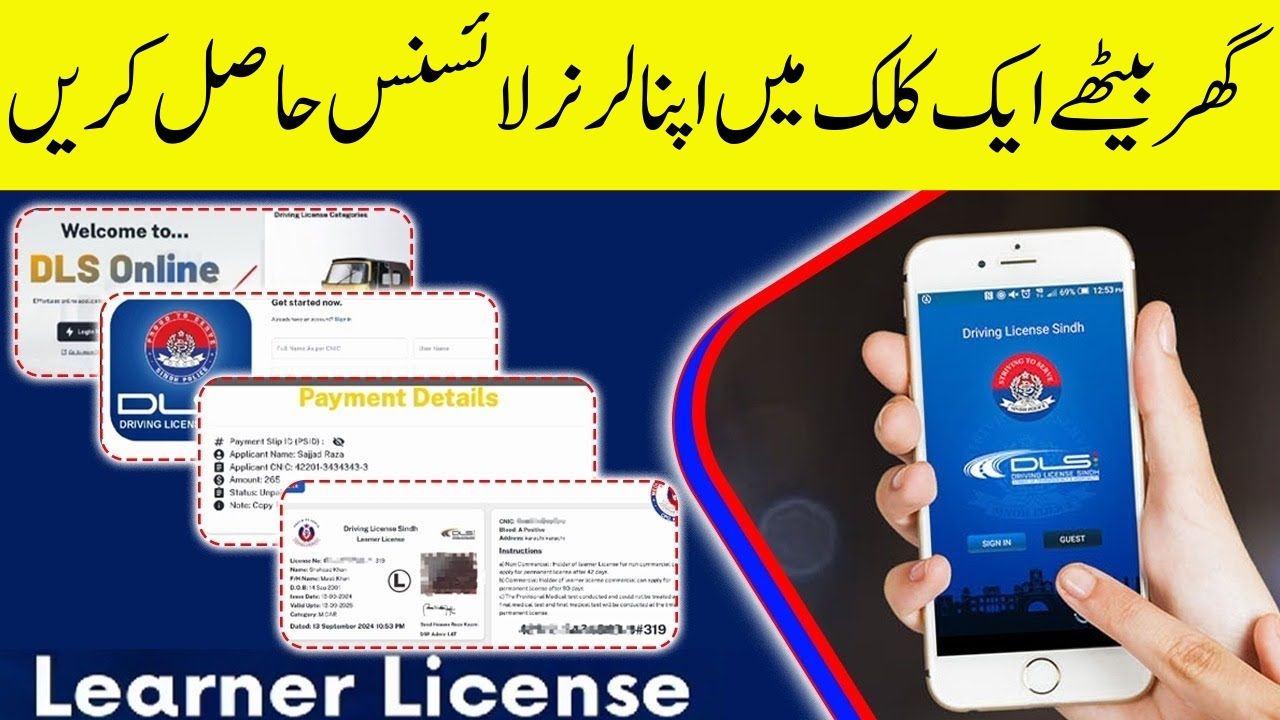
The Driving Licence system in Punjab is now fully digital, thanks to the upgraded DLIMS 2.0 (Driving Licence Information Management System) introduced by the Punjab Information Technology Board (PITB). Whether you want to get a learner permit, apply for a permanent licence, or renew your expired licence, everything can now be done online from your home.
This detailed 2025-26 guide explains step-by-step how to apply online for a Punjab driving licence, generate your PSID for payment, download your digital e-licence, and track your application or renewal status — all through the new DLIMS 2.0 system.
Types of Driving Licences in Punjab
| Licence Type | Description | Validity |
| Learner Licence | For beginners applying for the first time | 6 months |
| Regular Licence | Issued after passing the driving test | 5 years |
| International Licence | For driving abroad with a Pakistani licence | 1 year |
Step-by-Step: Apply Online for Learner Driving Licence (2025-26)
Applying for your learner licence online takes less than 15 minutes. Here’s how:
Step 1 – Create an Account
Visit the official website: https://dlims.punjab.gov.pk
Click “Sign Up” and create your account using your CNIC and mobile number.
 Join Our WhatsApp Channel
Step 2 – Fill Out the Online Form
Enter your personal details, address, and select licence category (Motorcycle, Car, or both). Upload a passport-size photograph.
Step 3 – Upload Required Documents
- CNIC (front and back)
- Passport-size photo
- Medical certificate (if age 50+)
Step 4 – Generate PSID and Make Payment
After submitting your form, the system generates a Payment Slip ID (PSID).
Pay via:
- ATM
- Internet Banking
- ePay Punjab mobile app
Fee: Rs. 500 per category (Bike or Car)
Step 5 – Download and Print Your Learner Licence
Once your payment is verified, download your learner permit from the dashboard. It becomes valid instantly for practice driving.
Apply Online for Regular Driving Licence
After 42 days of holding a learner licence, you can apply for a Regular Licence.
Documents Required:
- Original CNIC
- Two passport-size photos
- Learner licence copy
- Medical certificate (if applicable)
Process:
- Log in to your DLIMS account
- Select “Apply for Regular Licence”
- Upload required documents and generate PSID
- Appear for your driving test on the given date
- Once passed, download your E-Licence or receive the card via courier

Driving Licence Renewal Online (2025-26)
DLIMS 2.0 now allows licence renewal online without visiting any office.
Steps:
- Log in to your DLIMS account
- Click “Renew Licence”
- Upload CNIC, old licence, and medical certificate (if 50+)
- Generate PSID and pay renewal fee online
- Download your E-Licence once approved
Renewal Fees (2025-26):
| Category | Fee | Validity |
| Motorcycle | Rs. 450 | 5 Years |
| Car/Jeep | Rs. 750 | 5 Years |
| Motorcycle + Car | Rs. 900 | 5 Years |
| LTV (Commercial) | Rs. 1850 | 5 Years |
How to Track or Verify Your Licence Online
To Track:
- Visit DLIMS tracking page
- Enter your CNIC (without dashes)
- Click “Track”
You’ll see your status: Processing, Approved, Printed, or Dispatched.
To Verify:
Go to the “Verify Licence” section, enter your CNIC or Licence Number, and view your official record instantly.
Secure Payments with ePay Punjab
All DLIMS transactions are made using a unique PSID number for safe and traceable payments.
You can pay via:
- ATM
- Internet Banking
- Mobile Wallets (ePay Punjab, JazzCash, Easypaisa)
Tip: Never pay in cash or without a PSID — only PSID-based payments are officially recorded.
Driving Test System (2025-26 Update)
The new DLIMS 2.0 uses AI-based test supervision for fair evaluation.
Tests Include:
- Theory Test: MCQs about traffic rules and road signs
- Video-Based Test: Real-life driving scenario questions
- Practical Test: Conducted at your selected test center by traffic police
You can check youar test schedule, results, and re-test dates through the DLIMS dashboard.
Traffic Fines and DLIMS Integration
DLIMS 2.0 is directly integrated with Punjab Police’s e-Challan system.
Common Updated Fines (2025-26):
| Violation | Fine |
| Overspeeding | Rs. 2000 |
| Helmet/Seatbelt Violation | Rs. 1500 |
| Mobile Use While Driving | Rs. 5000 |
| Driving Without Licence | Rs. 5000 |
You can view your fine history, payment records, and pending challans from your DLIMS dashboard.
Documents Checklist Before Applying
- CNIC (front and back)
- 2 passport-size photos
- Valid learner licence (for regular licence)
- Medical certificate (if 50+)
- Old licence (for renewal)
Important Tips for 2025 Applicants
- Always double-check your CNIC and personal details before submission.
- Download your learner’s permit immediately after applying.
- Practice well before appearing for the driving test.
- Keep your original CNIC and payment receipt when visiting the test center.
FAQs – Punjab Driving Licence Online Apply 2025-26
Q1. How do I apply for a learner licence in Punjab?
Visit dlims.punjab.gov.pk, sign up, fill the online form, upload documents, pay PSID, and print your learner permit.
Q2. Can I renew my licence online?
Yes, through DLIMS 2.0 you can renew your licence completely online using ePay Punjab.
Q3. How long does it take to get the licence?
Learner permits are issued instantly; regular licences are processed within 7–10 working days.
Q4. What is the learner licence fee?
Rs. 500 per category (bike or car).
Q5. Is the digital e-licence valid?
Yes, the E-Licence issued by DLIMS 2.0 is legally recognized across Punjab.

Final Thoughts
With the launch of DLIMS 2.0, the Punjab Driving Licence online application process has become fully digital and citizen-friendly. Whether you’re applying for a learner, permanent, or renewal licence, the process is now faster, easier, and more transparent than ever before.
In short, by following these steps, you can get your driving licence in Punjab without long queues or paperwork — all through your smartphone or computer.