BISP Payment Inquiry Easy Ways – How to Check Your Benazir Payment Online in 2025
The BISP Payment Inquiry Easy Ways guide helps you find out how to quickly check your Benazir Income Support Programme (BISP) payments in 2025. Millions of families across Pakistan rely on these payments, but many don’t know the correct way to verify their status.
In this article, you’ll learn the most reliable and easiest methods to check your BISP payments — using your CNIC number, mobile phone, or online portal — without visiting any office or agent.
What Is BISP and Why Checking Payments Matters
The Benazir Income Support Programme (BISP) provides financial help to low-income families under the Government of Pakistan’s welfare scheme. Every few months, eligible beneficiaries receive a fixed installment directly from BISP.
However, many people face issues such as delayed payments, verification errors, or unconfirmed status. That’s why it’s important to know how to check your BISP payment inquiry through official and safe methods.
Easy Ways to Check BISP Payment Inquiry in 2025
Here are the three easiest and most reliable ways to check your BISP payment details without any agent or extra fee.
 Join Our WhatsApp Channel
1. Check BISP Payment via 8171 SMS Service
The 8171 SMS Service is the simplest way to check your BISP payment status.
Follow these steps:
- Open the messaging app on your mobile phone.
- Type your 13-digit CNIC number (without dashes).
- Send it to 8171.
- You’ll receive a reply message showing your eligibility and payment status.
This service works on all mobile networks and doesn’t require an internet connection. Always use the SIM registered under your own CNIC to ensure accurate results.
2. Check BISP Payment Online Through Official Portal
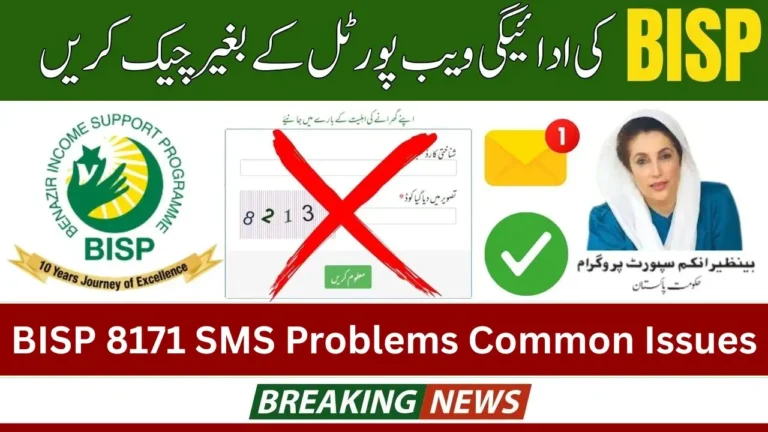
If you have internet access, you can check your BISP payment online through the official 8171 BISP web portal.
Here’s how:
- Visit https://8171.bisp.gov.pk.
- Enter your CNIC number in the provided box.
- Complete the security captcha.
- Click on “Submit” to see your payment status.
The online system instantly shows your payment details, eligibility, and next installment date. It’s fast, secure, and official.
3. Verify BISP Payment Through Mobile Wallet
BISP is now integrating payments through digital wallets like JazzCash, EasyPaisa, and UPaisa.
Beneficiaries can receive and withdraw payments directly using their SIM wallet linked with their CNIC.
Steps to check payment through wallet:
- Open your mobile wallet app.
- Go to the government payments or BISP section.
- Enter your CNIC number.
- You’ll see your available balance and payment status.
Make sure your SIM wallet is registered under the same CNIC as your BISP account for successful verification.
Important Tips for BISP Payment Inquiry
- Only use official BISP channels like 8171 or the web portal.
- Do not share your CNIC or OTP code with anyone claiming to be from BISP.
- Avoid agents who demand money to “check” your payment — all services are free.
- If you find errors or delays, contact the BISP Helpline: 0800-26477 or visit your nearest BISP Tehsil Office.
- Keep your CNIC valid and participate in the NSER dynamic survey to remain eligible.
Common Problems During BISP Payment Inquiry
Some users face issues while checking payments. Here are the common ones and quick fixes:
- No SMS reply from 8171: Check your network or resend after a few minutes.
- Invalid CNIC message: Make sure your CNIC is entered correctly without dashes.
- Website not loading: Use a stable internet connection or try again later.
- Payment not showing: It may still be under processing — check after 24 hours or contact your nearest office.
Why You Should Check Your Payment Regularly
Regularly checking your payment helps you stay updated and ensures there are no missed installments. It also helps detect any account errors or eligibility changes early. BISP updates its database regularly, so keeping track saves you from unwanted delays or surprises.
Final Thoughts
The BISP Payment Inquiry Easy Ways guide proves that you don’t need to visit an office or rely on agents to check your payments. You can easily verify your BISP status through 8171 SMS, the official web portal, or mobile wallet apps.
By staying informed and using official channels, you can ensure your financial aid reaches you safely and on time — every time.